How to run an online agile retrospective
The retrospective is the most important agile ceremony for continuous improvement. This guide walks you through preparing, facilitating, and running successful sprint retrospectives, whether in person or remotely.
Start free trialWhat is an agile retrospective?
A retrospective is an agile ceremony held at the end of each sprint. It brings the team together to review the past sprint: what went well, what can be improved, and what concrete actions to implement for the next sprint.
Unlike other Scrum ceremonies that focus on the product (Sprint Review) or work organization (Sprint Planning), the retrospective focuses on the team itself: its processes, collaboration, tools, and well-being.
A well-facilitated retrospective produces concrete, measurable actions. It creates a safe space where every team member can speak freely, without judgment. It is the engine of continuous improvement in agile teams.
Preparing your retrospective
Good preparation is the key to a successful retrospective. Here are the essential steps before starting the session.
Choose the right format
Select a format suited to your team and the sprint context. Classic formats (Keep/Drop/Start, Mad/Sad/Glad) work well for beginner teams. Visual formats (Speed Boat, Hot Air Balloon) renew interest for experienced teams. Vary formats every 2-3 sprints to avoid routine.
Set the duration
Plan for 45 minutes to 1.5 hours depending on team size and sprint duration. For a 2-week sprint with a team of 5-8 people, 1 hour is a good balance. Never exceed 1.5 hours: beyond that, focus drops.
Prepare the space
In person, book a room with a whiteboard or sticky notes. Remotely, set up your online retrospective tool before the session: create the activity, test the sharing link, and make sure all participants can connect.
Invite the team
The retrospective brings together the entire development team, the Scrum Master, and ideally the Product Owner. Send the invitation at least 24 hours in advance with the participation link and a reminder of the chosen format.
The 5 steps of a successful retrospective
Every retrospective follows a structured flow in 5 phases. Here is how to facilitate each step effectively.
1. Open the session (5 min)
Remind everyone of the ground rules: kindness, confidentiality, and everyone's right to speak. Present the chosen format and expected duration. If using an online tool, make sure everyone is connected and understands how it works. A quick icebreaker ("In one word, how was this sprint?") helps break the ice.
2. Collect feedback (15-20 min)
This is the most important phase. Each participant writes their observations on cards, in silence. Silence is crucial: it prevents social influence and allows everyone to express themselves honestly. Enable a visible timer to frame this phase. Remotely, online retrospective tools let you hide cards during writing.
3. Share and group (15-20 min)
Each participant presents their cards to the group. The facilitator helps group similar topics. Don't try to solve problems at this stage: the goal is to understand, not to fix. Ask open questions: "Can you give a concrete example?" or "Has anyone else observed the same thing?".
4. Vote and prioritize (5-10 min)
Participants vote on the most important topics to address. Limit the number of votes per person (3-5 votes) to force prioritization. Topics with the most votes will be discussed first. Online retrospective tools often include a built-in anonymous voting system.
5. Define actions (10-15 min)
Turn priority topics into concrete, measurable, assigned actions. Each action must have an owner and a deadline. Limit yourself to 2-3 actions per retrospective: fewer well-executed actions are better than many forgotten ones. Review previous sprint actions to check their progress.
Running a remote retrospective
Remote work requires specific adjustments for successful retrospectives. Here are the best practices.
Choose the right tool
A dedicated online retrospective tool (like Umbreon) is far more effective than a Miro board or sticky notes on Trello. Dedicated tools offer guided templates, a built-in timer, anonymous votes, and real-time sync. Participants join with a simple link, no account needed.
Enable cameras
Encourage (without forcing) camera use. Non-verbal communication is essential for empathy and mutual understanding. A smile, a nod, or a frown often says more than words.
Keep the pace
Remotely, attention fades faster. Use a visible timer for each phase. Vary activities: silent writing, discussion, voting. Limit total duration to 1 hour for distributed teams. Scenario-based retrospectives with immersive chapters are particularly effective at maintaining engagement.
Handle time zones
For multi-timezone teams, find a slot that doesn't systematically penalize anyone. Rotate schedules if needed. If the gap is too large, consider an async retrospective with a written collection phase followed by a shorter live discussion.
Tips for effective facilitation
The facilitator's role is to create a conducive environment for exchange, not to direct the discussion.
Stay neutral
The facilitator guides the discussion but doesn't dominate it. Avoid sharing your opinion first. Ask open questions rather than proposing solutions. Your role is to draw out the team's ideas, not impose your own.
Protect everyone's voice
Make sure everyone has the opportunity to speak. Intervene diplomatically if someone monopolizes the conversation. Engage quieter members: "Marie, you wrote an interesting card, can you tell us more?".
Focus on facts
When the discussion drifts toward accusations or generalizations, bring the team back to concrete facts. Replace "You never do code reviews" with "Code reviews took an average of 3 days this sprint. What could we improve?".
Close with positive energy
End the retrospective on a positive note. Summarize the agreed actions, thank the team for their participation, and remind them of the progress made since previous retrospectives. A motivated team is more likely to follow through on actions.
Follow up on actions between sprints
The best retrospectives are those where actions are followed up. At the start of each retrospective, review the previous sprint's actions. Celebrate completed ones. Analyze why some didn't progress. This follow-up gives meaning to the ceremony.
Run your next retrospective with Umbreon
Step-by-step guided templates, a built-in timer, anonymous votes, and real-time collaboration. Everything you need to run great retrospectives.
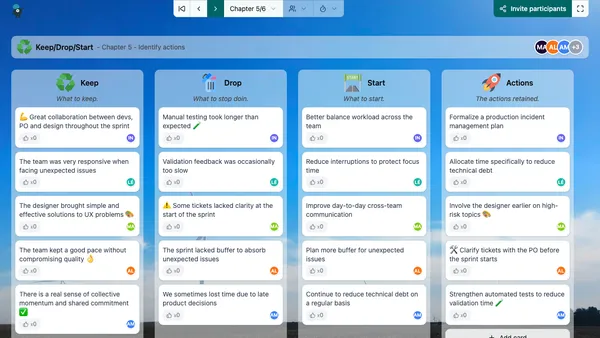

Keep/Drop/Start
In this classic retrospective format, participants must reflect on what to keep (keep), what to stop doing (drop) and what to start doing (start) for the next sprint.
Discover this template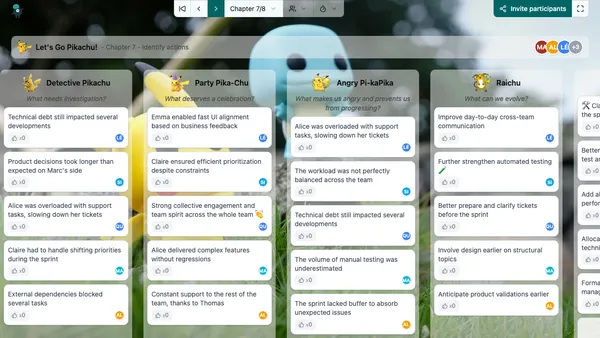

Let's Go Pikachu!
A fun Pokemon-themed retrospective to catch insights and evolve your team
Discover this template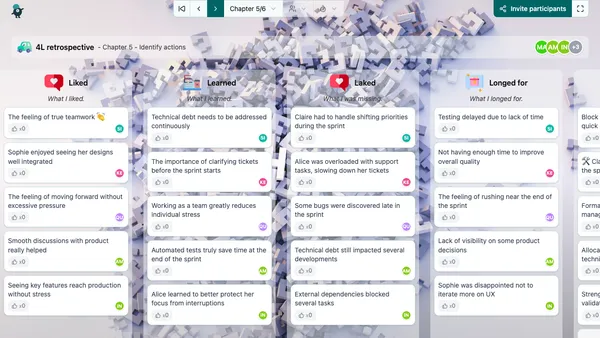

4L retrospective
The "4L" retrospective is a popular format that produces significant results for many teams. Here, 4 columns are displayed at the start of the activity and allow participants to reflect on what went well and what can be improved in the sprint.
Discover this template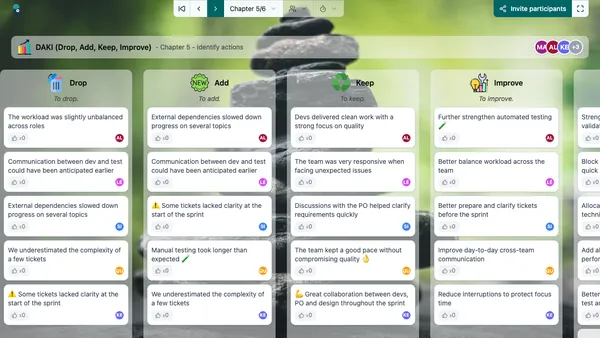

DAKI (Drop, Add, Keep, Improve)
DAKI is a classic retrospective format that fosters reflection on team practices and values. This format is recommended after the team has practiced scrum for several sprints. The team will then be better able to propose relevant changes.
Discover this template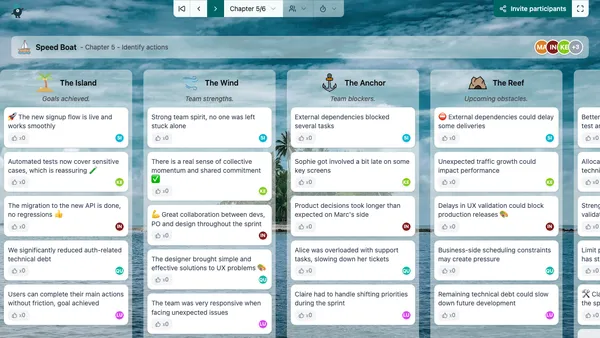

Speed Boat
One of the most popular retrospective formats. First published by Luke Hofmann in 2006 with the book Innovation Games: Creating Breakthrough Products Through Collaborative Play.
Discover this template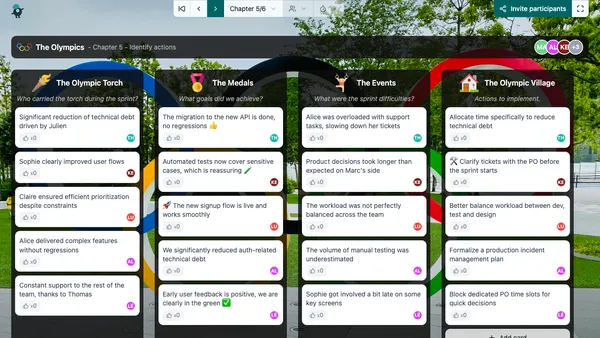

The Olympics
An ideal retrospective during the Summer or Winter Olympics. In this format, participants will use Olympic symbols to identify new improvement areas.
Discover this template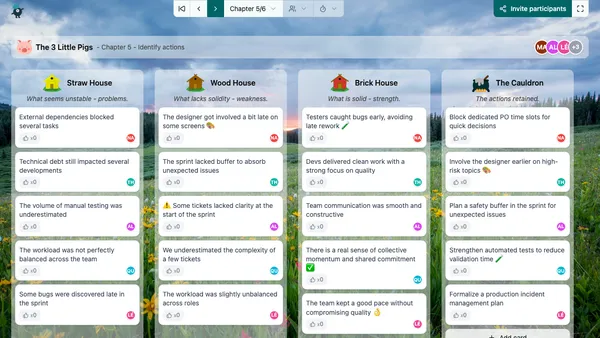

The 3 Little Pigs
Through the story of the 3 little pigs, participants will analyze the team's fundamentals to make them more solid.
Discover this template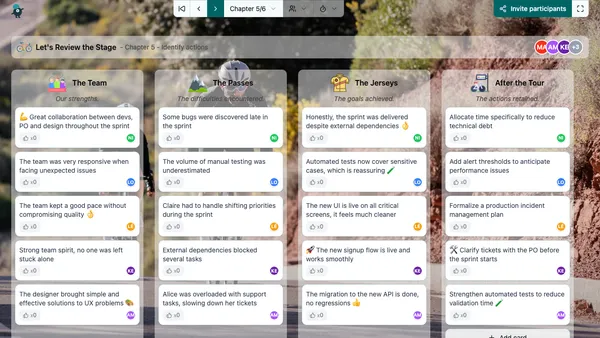

Let's Review the Stage
Cycling-themed retrospective. The team just crossed the finish line of today's stage (their sprint). It's time to take stock and prepare for the next stage.
Discover this template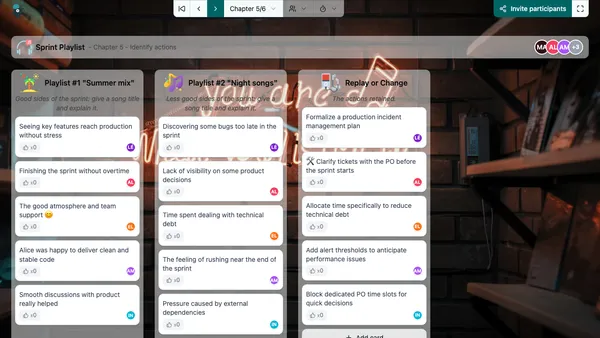

Sprint Playlist
In this original retrospective, participants will create the sprint's playlist. An ideal format to animate summer retrospectives.
Discover this templateFrequently asked questions
Who should facilitate the agile retrospective?
What is the ideal duration for a retrospective?
How to run an effective remote retrospective?
What to do when nobody speaks during the retrospective?
Should the Product Owner attend the retrospective?
How to ensure retrospective actions are followed up?
Is the retrospective useful if everything is going well?
Ready to run better sprint retrospectives?
Try Umbreon free for 7 days. No credit card, no commitment.
Start free trial